
Custom apps for a single store, public apps for the Shopify App Store. We take a brief through architecture, build, security review and release, and we keep the app running afterwards. The three apps below are our own, and the first of them is listed in the official Shopify App Store.
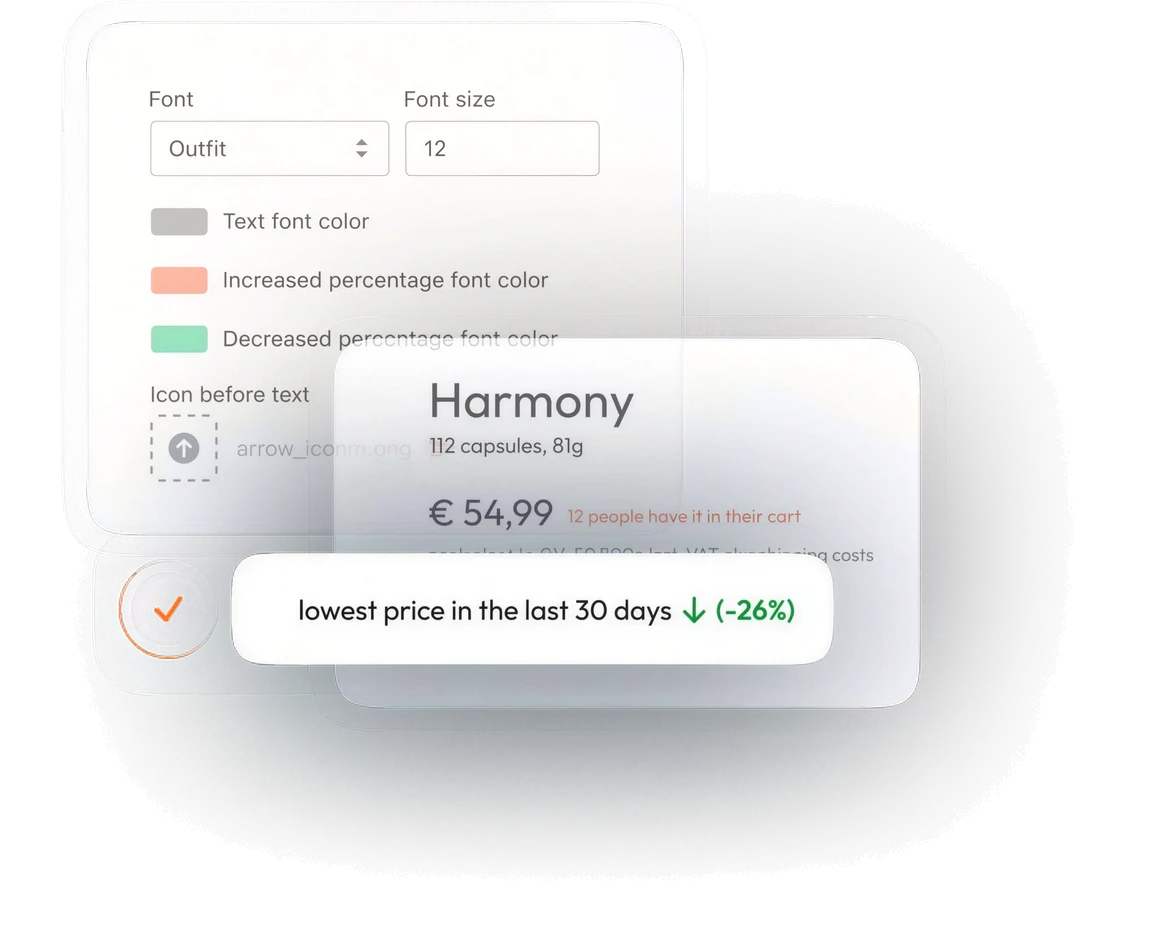
Our app automates tracking price history and displays the lowest price from the last 30 days on your store pages.
Not listed in the Shopify App Store yet. Selected merchants are testing it with us.
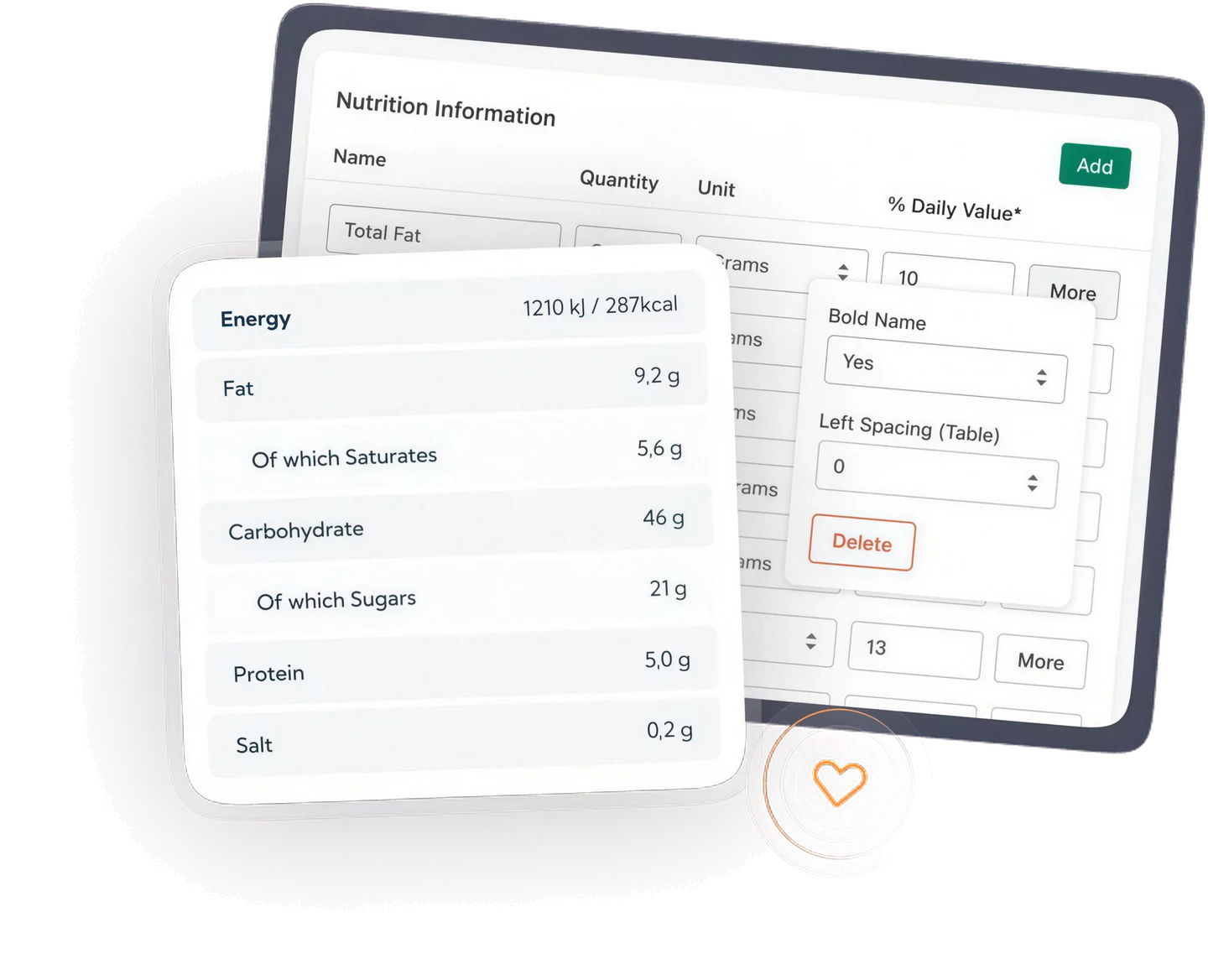
Perfect for compliance with food labeling regulations in the US, Canada, and Europe
Not listed in the Shopify App Store yet. Selected merchants are testing it with us.
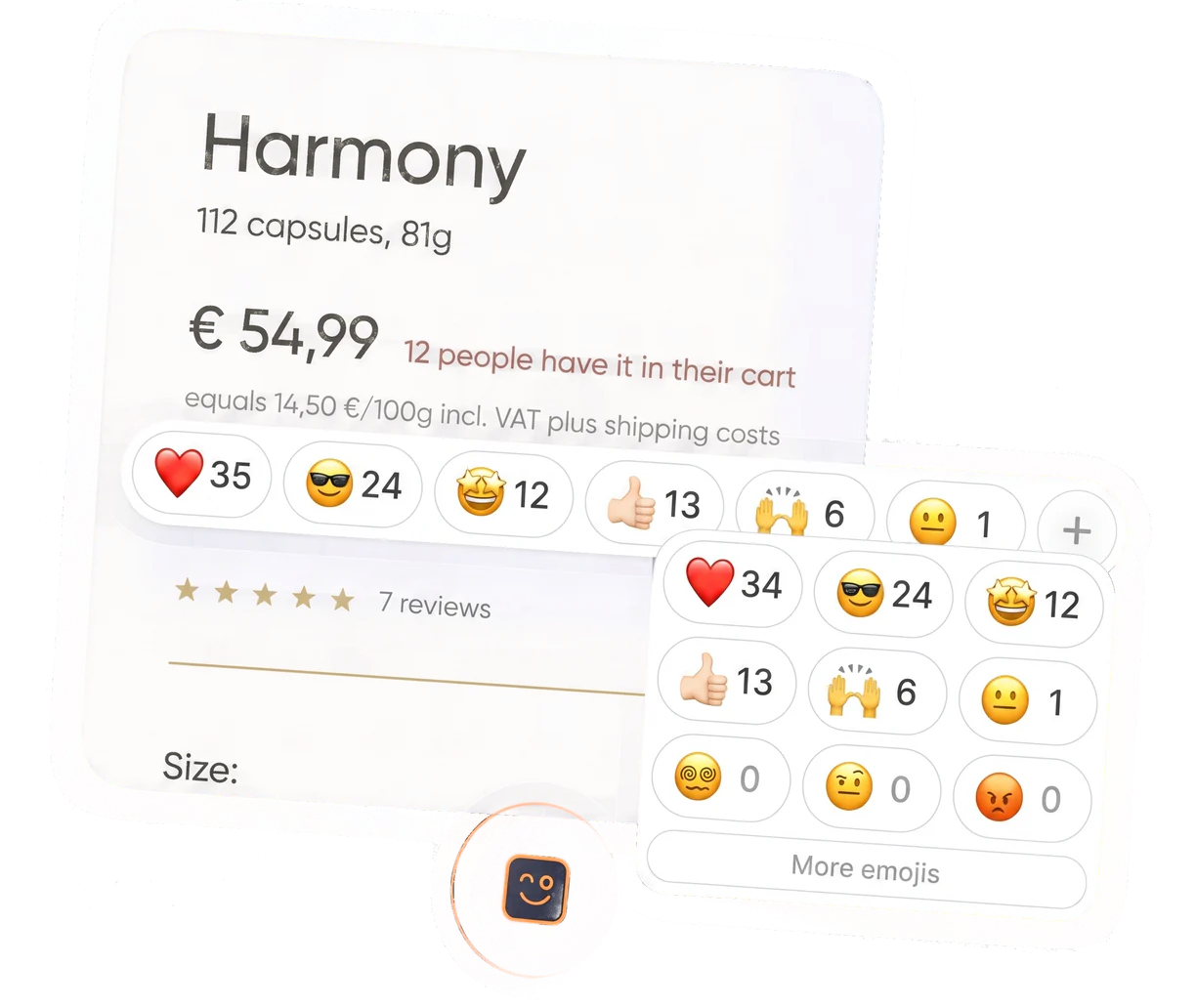
Ideal for businesses targeting a younger demographic or leveraging social media marketing.
Not listed in the Shopify App Store yet. Selected merchants are testing it with us.
Not listed in the Shopify App Store yet. Selected merchants are testing it with us.
Each one below is answered by something that runs in our own apps. One of the three is listed in the Shopify App Store, and we run the hosting, the errors and the updates for all three.
A Shopify app runs on its own servers, with its own database, its own sessions and its own uptime. It only happens to be embedded in the Shopify admin. Building one is backend work from the first day, and keeping it up is backend work too.
In our apps
Install and uninstall over OAuth, scopes kept to the minimum, session tokens, the mandatory privacy webhooks, and a queue that respects the rate limits of the Admin API. An app that skips any of these looks finished on a test store and falls over on a busy one.
In our apps
Listing, demo store, data handling and performance are all looked at, and the answer comes back in writing. Passing that review is an audit from outside the project, and it is the one part of app work nobody can talk their way through.
In our apps
Every install costs hosting, storage and requests for as long as it lives, while the price stays what the listing says. An app only becomes a business when the cost per install stays well below what the install pays.
In our apps
We start with what the app has to do for the merchant and where Shopify itself stops. That boundary decides most of what follows, above all whether a custom app for one store is enough or whether the work belongs in a public app any merchant can install.
We decide early what the app stores and what stays in Shopify. Product and order data live in metafields wherever they can, which keeps the app light, leaves merchant data where the merchant already trusts it, and stops the hosting bill from growing with every install.
An embedded app sits inside the Shopify admin, so it has to look and behave like it. We design against Polaris and against the screens a merchant already knows, which is what keeps support requests down after launch.
The install flow over OAuth, the smallest set of scopes the app can work with, a webhook for every event it reacts to, and a queue that respects the rate limits of the Admin API. Most of the work in an app is not the feature, it is everything around the feature that has to keep working while Shopify is busy.
Quality assurance against real store data, then a security pass: the mandatory privacy webhooks, signature checks on every incoming request, session token handling, and a look at what leaves the app and where it goes.
A public app is read by Shopify before anyone can install it. We prepare the listing, the demo store and the answers the reviewers ask for, and we carry the rounds of feedback until the app is approved. A custom app skips the queue and goes straight to the store it was built for.
An app is a service, not a delivery. We watch installs and errors, keep up with the API versions Shopify releases every quarter and retires after a year, and keep the cost per install under what the install earns. That last figure is what decides whether a public app is a business or a hobby.
To install any of our Shopify apps, simply visit the Shopify App Store, search for the CartCraft app you want, and click the “Add app” button. This will guide you through the installation process directly within your Shopify admin panel.
To uninstall one of our apps, follow these steps:
You can reach our customer support team by visiting [email protected] or by using the contact form at the bottom of this page. We are here to assist you with any issues or questions you may have.
For more detailed information about a specific CartCraft Shopify App, please visit the individual app’s landing page on our website or check out the official listing in the Shopify App Store.
After you uninstall one of our apps, any data stored by the app in your Shopify account will be retained for 30 days, giving you the opportunity to reinstall the app without losing your data. Please note that any modifications made to your store’s theme or settings through the app will not automatically revert and must be manually adjusted if necessary.
A custom app is built for one store and installed straight into it, with no listing and no review queue. A public app is listed in the Shopify App Store, can be installed by any merchant, and has to pass Shopify’s review first. Custom is faster and cheaper when only your own store needs the feature. Public is the route when the app is meant to earn money on its own.
An app is a web application, so it needs somewhere to live for as long as it is installed. We can run it for you on infrastructure we manage, or hand the whole thing over to your own hosting with the deployment set up and documented. Either way you own the code.
No, there are no setup fees or hidden costs associated with our apps. You only pay the subscription fee as listed in the Shopify App Store.
Yes, most of our apps offer a free trial period. During the trial, you can use the app fully and decide if it fits your needs before committing to a subscription.
Yes, all payment processing is handled securely through Shopify’s billing system. We do not store or have access to your credit card details.
Our apps are designed to work with most Shopify themes. However, for the best experience, we recommend using themes that are updated and maintained regularly. If you encounter any compatibility issues, please contact our support team for assistance.
Development is billed by the hour against an estimate we agree before we start, and the estimate is broken down per step so you can see where the time goes. Running the app is a separate, much smaller monthly figure that depends on how many installs it carries. We put both numbers in front of you before the first line of code, because the second one decides whether a public app makes sense at all.
Shopify reads a new public app before it goes live, and the first answer usually arrives within one to two weeks. Most apps come back with points to fix, which is normal and which we handle. We prepare the listing, the demo store and the data handling answers up front, because that is what shortens the rounds.