A pharmaceutical company we build for used to run its warehouse on printed pick lists, a shared spreadsheet for batch numbers and a lot of walking between the shelves and the office. Today the same operation runs on one portal that carries an order from goods receipt to the parcel label, and every step leaves a record. The client’s name is confidential under an NDA, so this article is about the system rather than about the goods that move through it.
The interesting part of a project like this is rarely the software. It is the set of small habits a warehouse builds around the gaps in its tools, and what happens to those habits once the gaps close. Below is what the operation needed, how the portal is put together, and what we would tell another business that recognises its own floor in the first section.
The starting point: paper, a spreadsheet and a lot of walking
Orders arrived in the shop and were printed. A picker took the printout, walked the aisles and worked from memory for everything the sheet did not say. Batch codes were written on the sheet by hand and typed into a spreadsheet later the same day, or the next morning if the day had been busy. Test reports from the laboratory lived as attachments in a mailbox, filed by whoever happened to open them.
Shipping was a separate world. The address was typed a second time into the carrier’s own tool and the tracking number was copied back into the shop by hand. With more than one location in the picture, stock was reconciled by phone, and the answer was only ever as fresh as the last call.
None of that is careless. Every one of those steps was a workaround for something the existing tools could not do. The cost shows up later, when a question arrives that paper cannot answer: which batch went into the parcel that left three months ago, who packed it, and what did the box look like when it was closed.
What the operation actually needed
We wrote the requirements down as plain sentences before anyone drew a screen. They came out short.
- Every unit traceable to its batch, forwards from goods receipt and backwards from a shipped parcel.
- No batch available for picking until its laboratory result has been reviewed and released.
- One queue that says what to pack next, usable on a phone with gloves on.
- Shipping labels printed from the order itself, with the tracking number written back without anyone retyping it.
- The same picture of stock across every location instead of one picture per location.
- An evidence trail for each order that still makes sense months later.
- The office decisions, return approvals, reorders, batch releases and escalations, in one place instead of four mailboxes.
Two constraints shaped the rest. There was no appetite for an ERP project and the shop had to stay the place where orders are born, so the portal sits next to what exists and talks to it. And it had to be learnable in an afternoon by people whose job is moving goods, not operating software.
The portal, module by module
Each module answers one of the sentences above, and all of them write to the same record per order. A short overview of this portal next to the other tools we run sits in the tools section on our home page.
Goods receipt with batch management
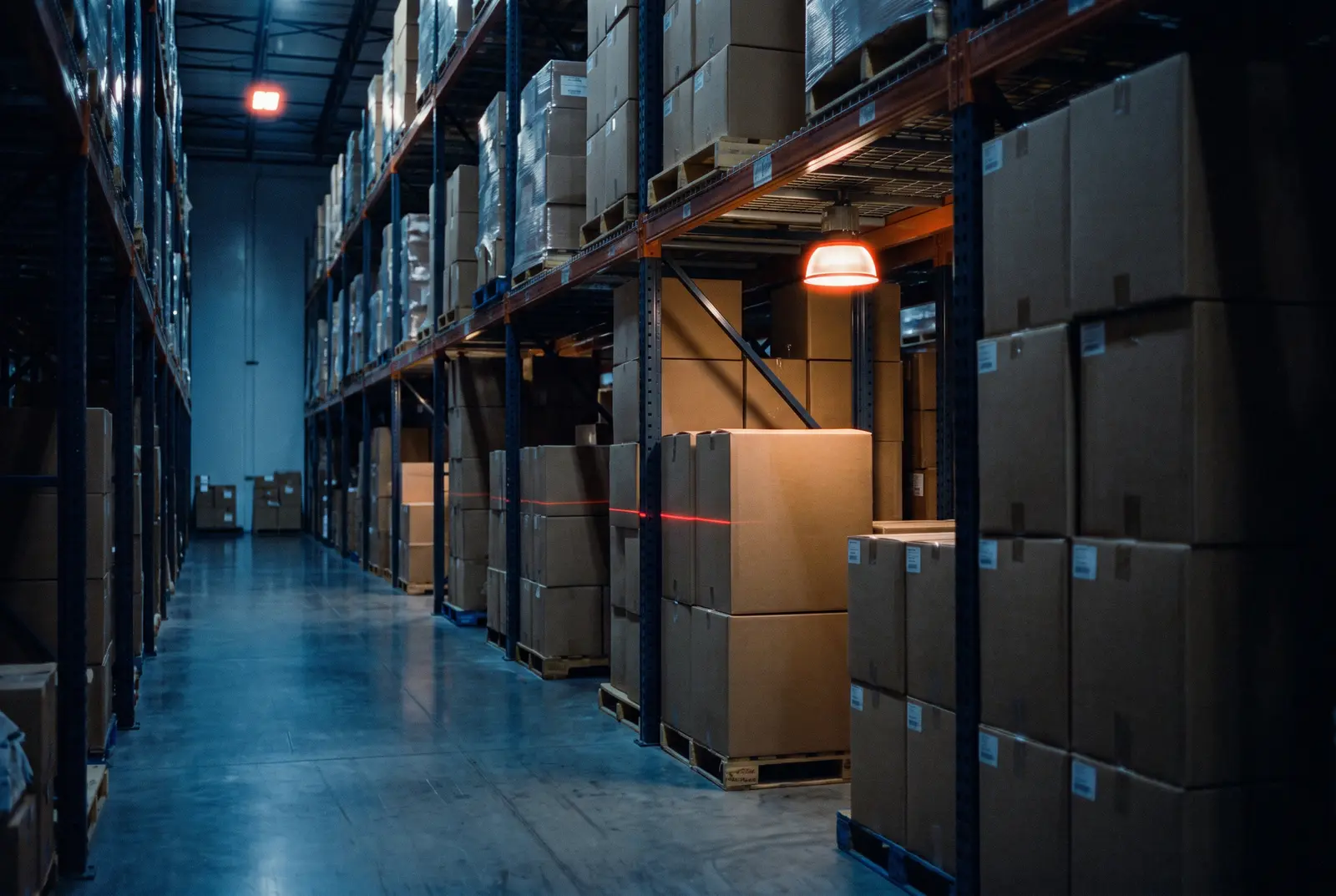
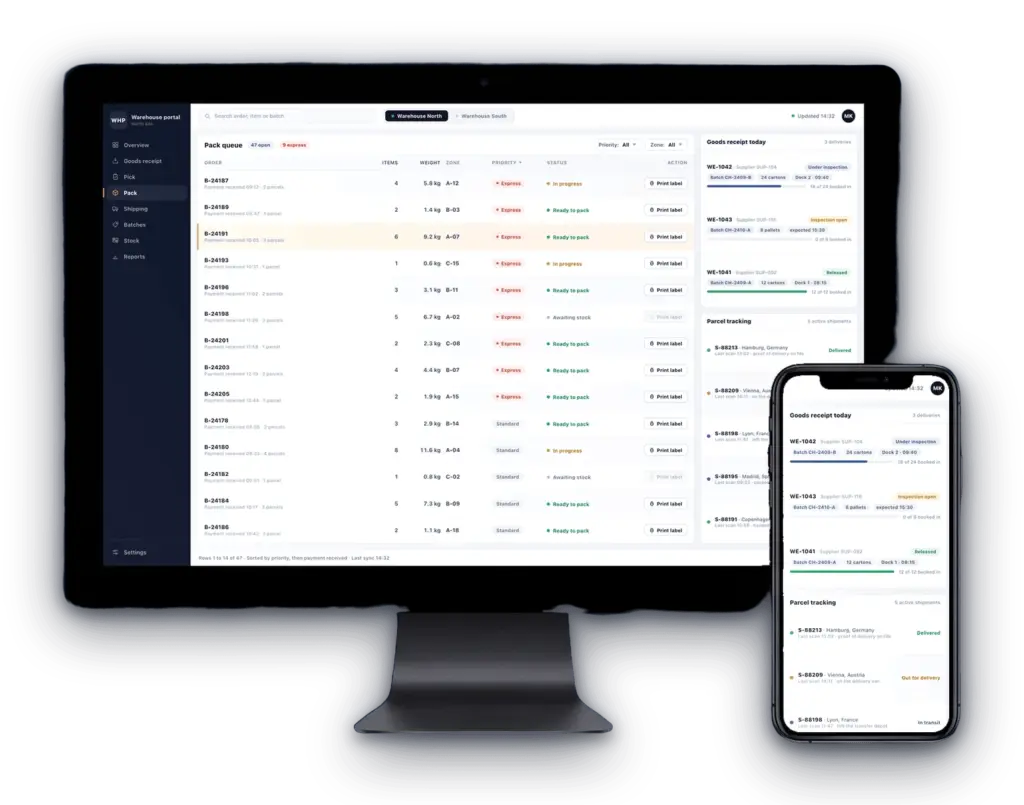
A delivery is booked in against the purchase order it belongs to. Quantities are counted per position, the batch code is recorded once, and the goods are given a place on the shelf map, so the next person looking for that batch does not have to ask anybody. Retention samples come out of the same receipt instead of being noted on the side. From here the batch has a history, and everything that leaves the building later points back at it.
Laboratory release before a batch can ship
A new batch arrives locked. Its test report is filed against the batch, reviewed in the office and either released or kept locked, with the reviewer and the time stored next to the decision. Only a released batch can be picked. The warehouse can see that a batch is locked and can ask for a review with one tap, but it cannot lift the lock itself. That separation is deliberate. Releasing a batch means selling the goods, and that decision belongs where the responsibility sits.
A pick and pack queue that leads
Staff sign in with a badge instead of typing a password, and the queue tells them what to work on next. The flow then leads through the order: collect the items, pack them, photograph what is in the box, close it, move on. Each step is confirmed on the phone, so the record is written while the work happens. Orders that cannot ship at all, for example because no carrier serves the destination, never reach the queue. They go to the escalation list with the reason attached, which beats a picker finding the problem with the box already sealed.
Labels straight out of the order
The shipping label is created from the order already on screen and comes out of a connected label printer in the hall. Nobody retypes an address, nobody switches to a second application, and the tracking number is written back to the order. The same printing path produces the verification stickers that go into each package and the labels used on the racking, so there is one printer setup to maintain rather than three.
Parcel tracking on the order
Once a parcel is on its way, its status sits on the order instead of in a carrier portal that only one person has open. Support answers a where is my order question from the same screen the warehouse used to pack it, and a delivery that stalls surfaces as something to look at rather than as a complaint to wait for.
The office side: an operations dashboard
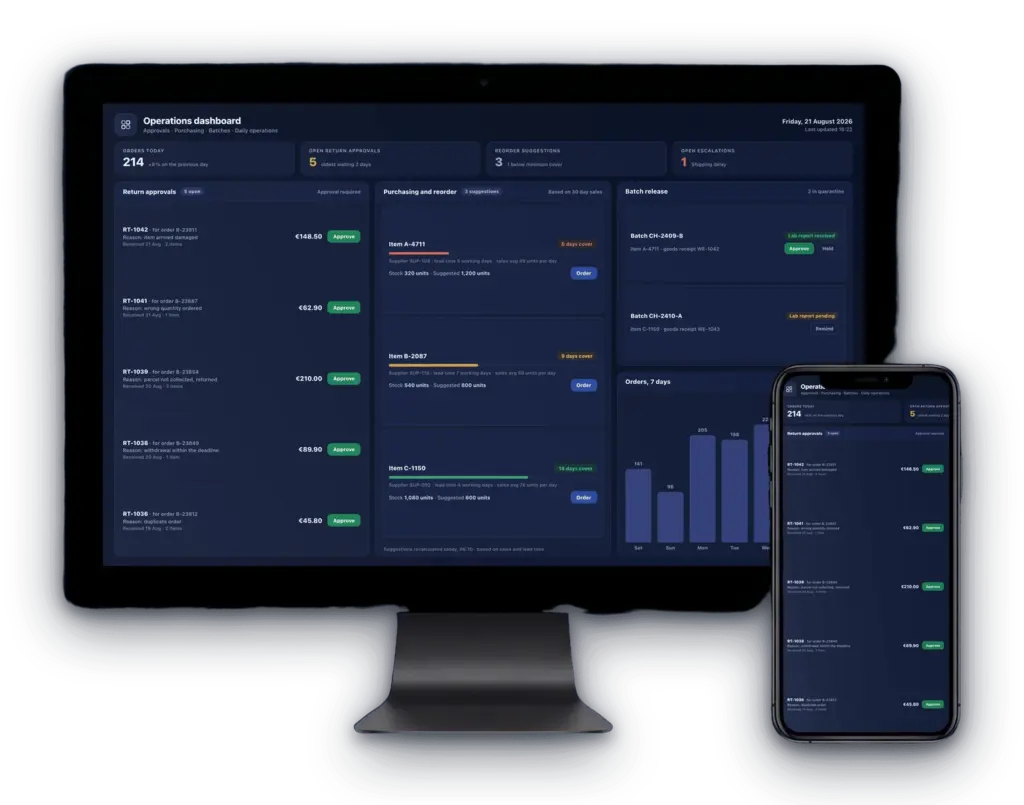
The warehouse portal is only half of the system. The office works in a dashboard that collects the decisions of a working day on one screen: return approvals with the reason and the amount, reorder suggestions built from sales and supplier lead time, batch releases with the laboratory report attached, and the open escalations. Each of those used to be an email thread with an attachment. Each of them is now a decision taken next to the data it depends on, and recorded with it.
What changed in the working day
Nobody ran a stopwatch before and after, so there is no percentage to quote here. What we can describe is which steps left the day. The evening session of typing batch codes into a spreadsheet is gone, because the code is captured while the goods are counted. The second entry of every shipping address is gone. The reconciliation call between locations has nothing left to reconcile, because both of them read the same stock. And a question from support stopped being a research task, because the order carries its own history.
One effect is easy to overlook when a project like this is planned. A guided queue carries the unwritten rules of a warehouse, the ones that used to live in the heads of the longest serving staff. New people learn the goods and the room, and the procedure arrives with the screen.
The part that is hardest to see from outside is the record. Every order has a chain behind it: who received the goods and from which batch, who released that batch and on which report, who picked and packed it, what the box looked like when it was closed, and where the parcel went. Nobody reads that chain on a normal day. On the day somebody asks, it is the difference between an answer and an afternoon.
What we would tell another operation before it starts
Most of the businesses we talk to about tools like this are not pharmaceutical companies. They are manufacturers, service companies and distributors with the same pattern: a decent shop or ERP at one end, a good process living in people’s heads in the middle, and paper filling the gap. Five things travel well.
- Start where the paper hurts, not where the org chart starts. We began with goods receipt, because a wrong entry there poisons everything downstream. A project that starts with reporting produces attractive charts of bad data.
- Model the room, not the ideal process. The shelf map is drawn the way the warehouse is actually labelled and arranged, so nobody has to translate between the rack and the screen.
- Every function needs a way out. Printers fail and deliveries turn up without paperwork, so each path has a manual fallback that is recorded as one. A tool people cannot get past is a tool they route around.
- Decide who may do what before the screens exist. Which decisions belong to the floor and which to the office is a business question, not a settings page, and it is expensive to change later.
- Collect the evidence while the work happens. Photographs, timestamps and the name of the person doing the step cost nothing when they are captured and cannot be reconstructed afterwards. That trail turns a dispute into a lookup.
And the point that decides most of these projects: none of this required a new ERP. A focused portal that talks to the systems already in use closes the gap for a fraction of the effort, and it can be built in the order in which the business feels the pain. That work is described on our process tools page.
Key takeaways
- Paper and spreadsheets in a warehouse are rarely a discipline problem. They are workarounds for gaps between the tools that already exist.
- Batch traceability works when the batch is captured at goods receipt and stays locked until a laboratory result is released, with the release recorded.
- A guided pick and pack queue turns unwritten rules into the flow itself, which is what makes the record complete and the training short.
- Labels and tracking belong on the order. Every retyped address is a second place for an error to start.
- Return approvals, reorders, batch releases and escalations are worth pulling out of mailboxes and putting next to the data they depend on.
- None of this needs a new ERP. A focused portal alongside the existing systems closes the gap.
Read next: the process tools we build, our reference projects, or our guide to streamlining fulfillment alongside a Shopify store.
Talk to us about the process tool your operation is missing

Lars Henning
- 42 ARTICLES
- 42 ARTICLES