Running a Shopify store means moving between sourcing, email, support, analytics and product data all day. The right tools remove the repetitive part of that work. Below are eight that cover the areas most store owners spend their time on, with what each one is actually good for.

Which Areas of a Shopify Store Are Worth Automating

When it comes to running an online store, there are a lot of tools and apps available to help you manage your business. Choosing well is mostly a question of scope: pick one tool per job, keep the number of installed apps low, and check what each one adds to your page weight before it stays. Every app you install loads code in your storefront, which is why our guide to page load times recommends auditing them regularly.

8 Useful tools for your Shopify store

DSers AliExpress Dropshipping listing in the Shopify App Store

1. DSers‑AliExpress Dropshipping

Easily import products from AliExpress and other marketplaces, which makes it simpler to find and add new products to your store.

Klaviyo Email Marketing and SMS listing in the Shopify App Store

2. Klaviyo

Segment your audience and create targeted campaigns to boost sales with this email marketing tool.
Gorgias listing in the Shopify App Store

3. Gorgias

Manage customer inquiries, returns and refunds all in one place with this customer service tool that integrates with Shopify.
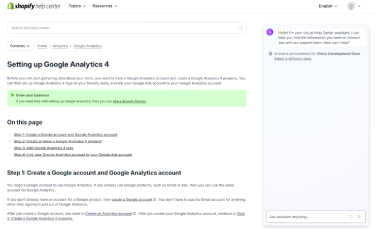
Shopify help page about setting up Google Analytics 4

4. Google Analytics

Track your website’s traffic, understand your audience and see how they interact with your store with this free tool.
Analytics dashboard in the Shopify admin

5. Shopify Reports

Make better business decisions with this built-in feature of Shopify that provides you detailed reporting and analytics.
Hextom Bulk Product Edit listing in the Shopify App Store

6. Hextom Bulk Product Edit

Edit multiple products at once, save time when adding or updating products to your store.
SEO Manager listing in the Shopify App Store

7. SEO Manager

Easily optimize your store for search engines, and improve your organic search rankings.
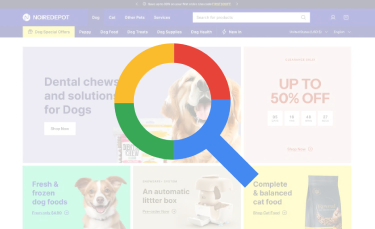
Online shop for dog products with a colour analysis overlay

8. The Shopify Theme Detector

Find out which theme a shopify store is using by simply providing the store URL.
Efficiently managing your store and making informed business decisions can be facilitated by utilizing the right tools and apps. However, it’s essential to keep in mind that some apps have limited functionality in their free version and require a paid subscription. It’s crucial to evaluate which tools and apps align with your specific business needs, as not all may be necessary. Additionally, it’s a good practice to regularly review and evaluate the tools and apps in use. This can help identify any unnecessary tools, take advantage of updated features, save time and money, and improve store performance.

Conclusion

In conclusion, Shopify store owners have access to a plethora of tools and apps that can aid in managing the business efficiently, increasing sales, and enhancing store performance. It is crucial to determine which tools and apps align with the specific business needs, and to frequently reassess and update the tools currently in use.

Key takeaways

  • One tool per job beats several overlapping ones, both for your workflow and for storefront performance.
  • Analytics and reporting are worth setting up first, since every other decision depends on them.
  • Bulk editing tools pay for themselves the moment your catalogue passes a few hundred products.
  • Review your installed apps every few months and remove what you no longer use.

Read next: how apps affect page load times, Shopify SEO tips and tools, or what Shopify apps are and how they fit into a store.

Get in Touch - Get started with custom eCommerce solutions for your Shopify store

Unlock the full potential of your online store with our expert Shopify apps and services. Contact us today.
Contact Us

Lars Henning